I've made great progress on the “Path” tool for the terrain editor! 🌿🛤️
This is something I tried to implement a while ago but didn't succeed… I kept working on it, and now I finally got a really cool result! 😄
What this tool does:
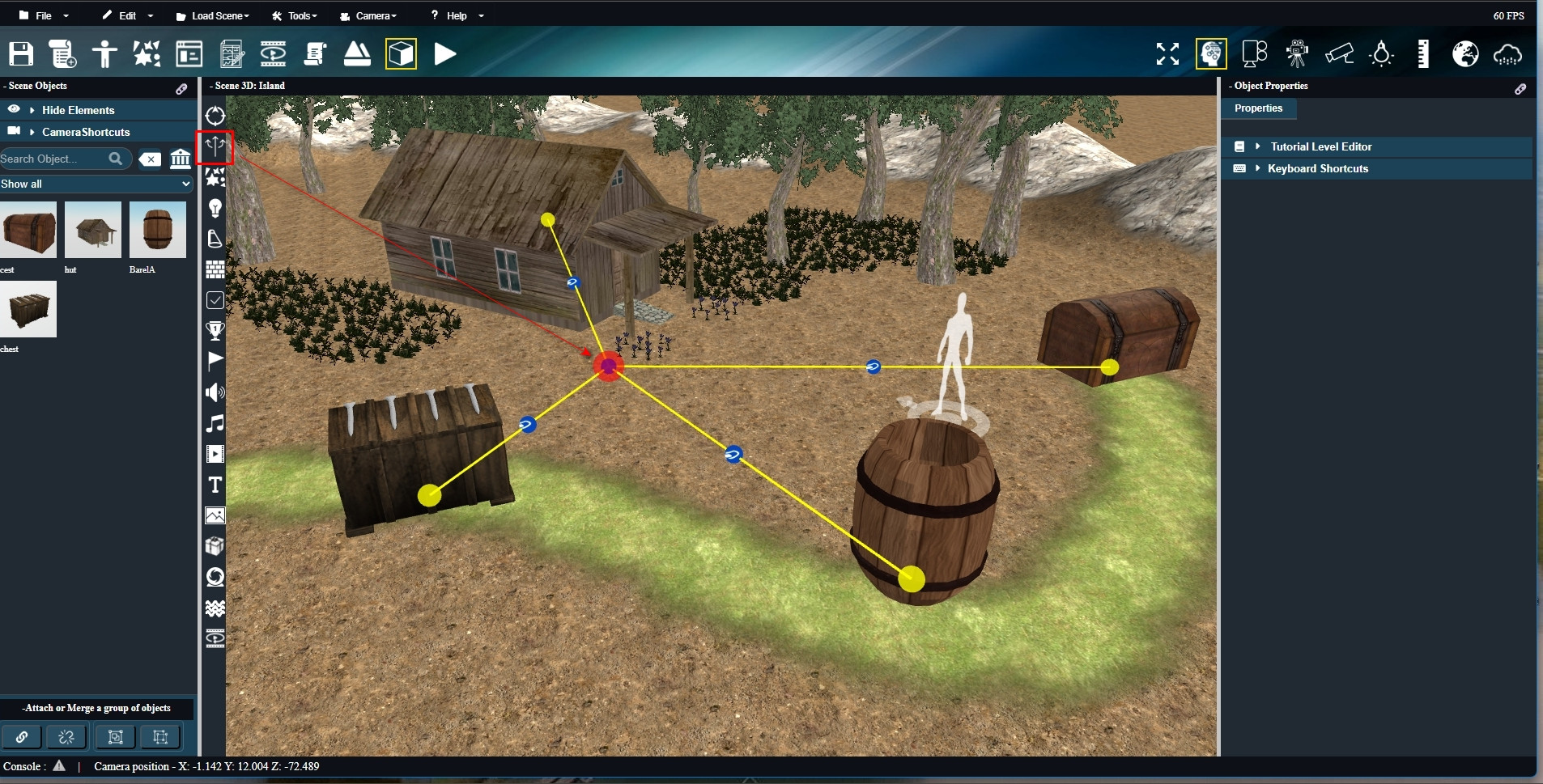
1️⃣ Draw your path – Activate path creation and draw a spline. Blue spheres appear along the curve to serve as selection handles for later editing.
2️⃣ Set path parameters – Choose the texture, width, and other settings, then create the path.
3️⃣ Background calculation – Behind the scenes, the tool “paints” the path with an animation that simulates brush strokes (not visible directly).
4️⃣ Update terrain – At the end of the animation, the terrain texture is updated to form your path.
5️⃣ Edit the path – If the curve isn’t perfect, select a handle (blue sphere) and click “create path” again. The tool recalculates and updates the terrain texture with the new path.
✨ Extra magic: If your path crosses grass, trees, or rocks, the animated brush automatically removes these obstacles based on the distance you set in the parameters. 🌳❌
This tool is really fun to use, and I finally got the result I wanted! It was tricky to develop 😅, but it completes the terrain editor, which is now super powerful and versatile.
Instead of just describing it, I’ve made a 1-minute video showing the tool in action 🎥. You can see the path creation, editing, and terrain update in real time.
There are still some small details to polish, but the core functionality works perfectly, as the video shows. 🚀
Link to the video of the tool in action